

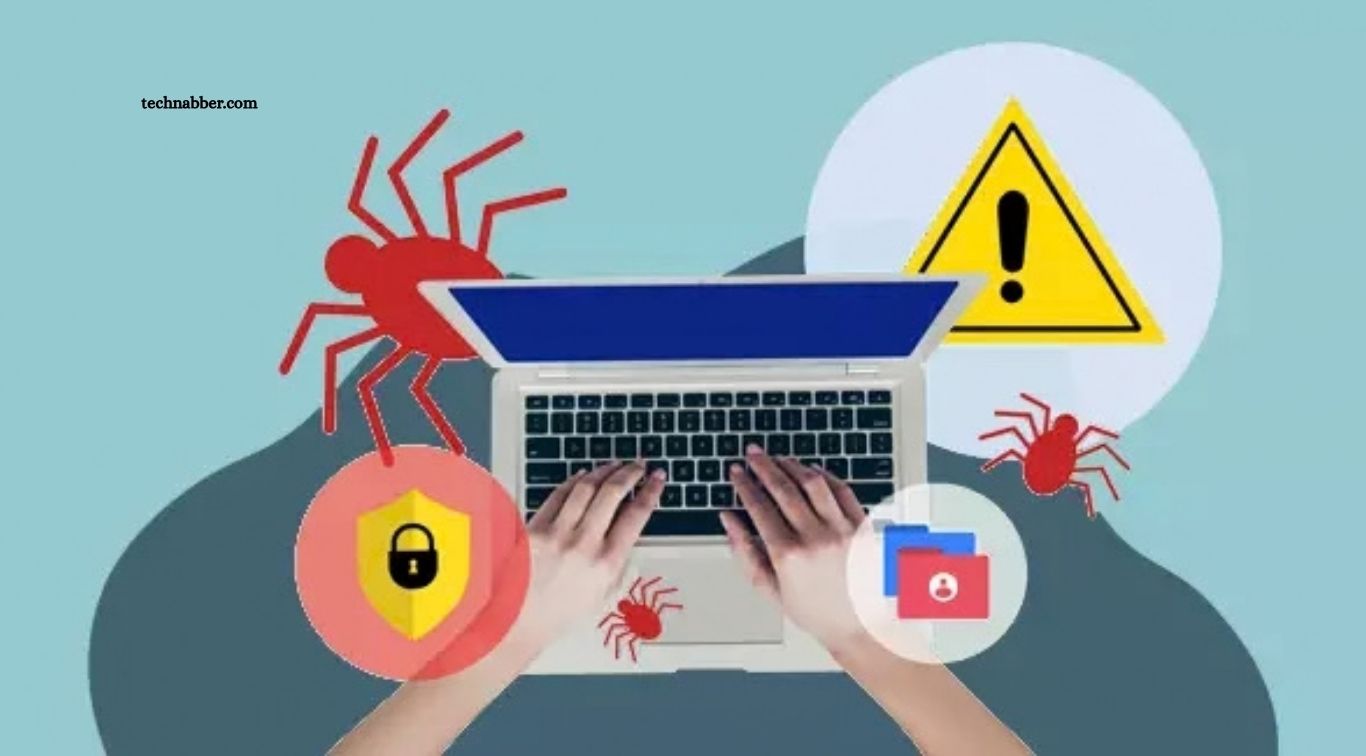
Cyber threats have become a growing concern as people rely on the internet for communication, shopping, banking, education, and professional activities. Cybercriminals use different techniques to steal personal information, access online accounts, spread malicious software, and disrupt digital services. Understanding these threats is an important step toward protecting devices, financial information, and online privacy.
Fortunately, many cyber risks can be reduced through simple security practices and greater awareness. Using strong passwords, updating software, recognizing suspicious messages, securing internet connections, and backing up important files can help prevent common attacks. Learning how cyber threats work allows individuals and businesses to make safer decisions and respond more effectively to suspicious activity.
Read More: Discover the Excitement of Modern Online Slot Gaming
What Are Cyber Threats?
Cyber threats are actions or activities intended to damage digital systems, steal information, disrupt services, or gain unauthorized access to computers and online accounts. These threats may target individuals, businesses, government organizations, educational institutions, and other connected environments.
Cybercriminals use various methods, including deceptive messages, malicious software, stolen credentials, and software vulnerabilities. Some attacks are designed to obtain financial benefits, while others focus on collecting confidential information or interrupting operations. Understanding common attack methods helps users recognize warning signs and take appropriate precautions.
Phishing Attacks
Phishing is one of the most common cyber threats. Attackers send fraudulent emails, text messages, or social media messages that appear to come from trusted organizations or familiar people. Their goal is often to persuade recipients to reveal passwords, financial information, verification codes, or other sensitive details.
To avoid phishing, check unexpected messages carefully before clicking links or opening attachments. Examine sender addresses and website domains, especially when a message demands immediate action. If a message claims to come from a bank or service provider, verify it through the organization’s official website or trusted contact information.
Malware Infections
Malware is malicious software designed to steal information, damage devices, monitor activities, or provide unauthorized access to systems. Common types include viruses, spyware, trojans, and other harmful programs that can enter devices through suspicious downloads, infected attachments, or compromised websites.
Protect your devices by downloading software only from trusted sources and keeping operating systems updated. Use reliable security tools and avoid opening unexpected attachments. If your device begins displaying unusual pop-ups, running unfamiliar applications, or behaving unexpectedly, investigate the problem and scan the device using trusted security software.
Ransomware Attacks
Ransomware is a type of malware that can encrypt files or restrict access to systems until attackers demand payment. These attacks can affect personal computers, business networks, hospitals, schools, and other organizations that depend on digital information.
Regular backups are one of the most useful defenses against ransomware because they can help restore files without relying entirely on attackers. Keep software updated, avoid suspicious attachments, and restrict unnecessary access to important files. Store backups separately from everyday devices and ensure that recovery procedures work before an incident occurs.
Password Attacks
Password attacks occur when criminals attempt to discover, steal, or misuse login credentials. They may use automated guessing, leaked passwords, phishing websites, or information obtained from previous data breaches to gain access to online accounts.
Use long, unique passwords for different services and consider a reputable password manager to create and store them securely. Enable multi-factor authentication on important accounts, particularly email, banking, and cloud storage. If a password is exposed in a breach, change it promptly and update any other accounts where the same password was used.
Identity Theft
Identity theft happens when someone uses another person’s personal information without permission, often for financial fraud, account access, or impersonation. Criminals may obtain this information through phishing, data breaches, stolen documents, or oversharing on public platforms.
Protect your identity by limiting the personal information you share online and storing sensitive documents securely. Avoid sending identification details through unverified channels and monitor financial accounts for unfamiliar activity. If you suspect identity theft, contact the relevant financial institution or service provider and follow the appropriate reporting procedures.
Social Engineering Attacks
Social engineering involves manipulating people into revealing confidential information or performing actions that compromise security. Attackers may pretend to be technical support staff, employers, relatives, delivery companies, or financial representatives to gain trust and influence decisions.
Be cautious when someone unexpectedly requests money, passwords, verification codes, or remote access to your device. Verify the person’s identity through a separate trusted channel before responding. Avoid making rushed decisions under pressure because urgency and fear are commonly used to manipulate victims.
Fake Websites and Online Scams
Fake websites imitate legitimate businesses, shopping platforms, financial services, or login pages to collect personal information and payments. These websites may appear professional and use convincing logos, advertisements, and product descriptions to make their offers seem trustworthy.
Before entering personal or payment information, inspect the website address and confirm that the business is legitimate. Be careful with unusually low prices, unexpected payment requests, and offers that seem unrealistic. Remember that an HTTPS connection alone does not prove that a website is genuine.
Man-in-the-Middle Attacks
A man-in-the-middle attack occurs when an attacker intercepts or interferes with communication between two parties. Depending on the situation, this may expose sensitive information or allow criminals to manipulate data exchanged over an inadequately protected connection.
Reduce this risk by using trusted networks, keeping devices updated, and checking that websites use secure connections. Avoid sensitive transactions on unfamiliar public Wi-Fi whenever possible. A reputable virtual private network may offer additional protection in some circumstances, but it cannot guarantee safety from every online threat.
Distributed Denial-of-Service Attacks
A distributed denial-of-service attack, commonly called a DDoS attack, overwhelms a website, server, or online service with excessive traffic from multiple sources. This can make legitimate services slow, unreliable, or temporarily unavailable to users.
Organizations can reduce DDoS risks through traffic filtering, network monitoring, protective hosting services, and suitable response plans. Individual users generally cannot prevent these attacks directly, but they should be cautious of suspicious websites claiming to provide instant fixes. Businesses should work with their hosting providers or security teams when service disruptions occur.
Spyware and Keyloggers
Spyware is designed to monitor activities or collect information without appropriate consent. Keyloggers are a type of monitoring tool that records keystrokes and may capture passwords, messages, and other sensitive information when used maliciously.
Avoid installing unknown software, browser extensions, or applications that request unnecessary permissions. Keep security tools updated and download programs from trusted sources. If you suspect spyware, use a trusted security solution to investigate the device and change important passwords from a separate, secure device when necessary.
Insider Threats
Insider threats arise when people with authorized access to systems misuse that access, whether intentionally or accidentally. Employees, contractors, or other trusted users may expose confidential information through careless handling, excessive permissions, or deliberate misconduct.
Organizations can reduce insider risks by limiting access to information according to job responsibilities and reviewing permissions regularly. Security training, activity monitoring, and clear data-handling policies also help. Individuals should avoid sharing work credentials and report suspicious access or accidental exposure through the appropriate internal channels.
Unpatched Software Vulnerabilities
Software vulnerabilities are weaknesses in applications, operating systems, or connected devices that attackers may exploit. When updates are delayed, known security problems can remain open and provide opportunities for unauthorized access or malware installation.
Enable automatic updates whenever practical and install security patches promptly. Update browsers, mobile applications, computers, routers, and other connected equipment. For devices that no longer receive security updates, consider replacing them or limiting their access to sensitive accounts and networks.
Cloud Security Risks
Cloud services allow people and organizations to store files, run applications, and access information through the internet. However, weak passwords, incorrect sharing settings, excessive permissions, and compromised accounts can expose cloud-based data.
Use strong authentication, review sharing permissions, and remove access that is no longer required. Avoid making sensitive files publicly accessible and check connected applications regularly. Organizations should also establish clear cloud security policies and maintain backups of important information.
Mobile Device Threats
Smartphones are attractive targets because they contain messages, photographs, payment information, contact details, and access to many online accounts. Mobile threats may involve malicious applications, fake updates, suspicious links, stolen devices, or attempts to exploit outdated software.
Protect your phone with a strong screen lock, current software, and trusted applications. Review app permissions and avoid installing programs from unfamiliar sources. Enable device tracking and remote locking features so you can protect your information if the phone is lost or stolen.
Artificial Intelligence-Powered Scams
Cybercriminals can use artificial intelligence to create convincing phishing messages, imitate voices, generate fake images, and produce personalized scams. These techniques may make fraudulent communications more difficult to recognize, particularly when they imitate a trusted person or organization.
Do not rely entirely on the appearance or sound of a message to verify its authenticity. Confirm unusual requests for money or confidential information through another trusted communication method. Be especially cautious when someone creates urgency or asks you to bypass normal verification procedures.
Data Breaches
A data breach occurs when confidential information is accessed, disclosed, or obtained without authorization. Breaches can expose email addresses, passwords, financial details, customer records, and other personal or business information.
Use unique passwords so that a breach affecting one service does not automatically expose other accounts. Enable multi-factor authentication and pay attention to security notifications from trusted organizations. If a service confirms that your information was exposed, follow its guidance, change affected passwords, and monitor relevant accounts for suspicious activity.
Protecting Your Home Network
Home networks connect computers, smartphones, smart televisions, cameras, and other devices to the internet. Weak router passwords, outdated firmware, and poorly secured connected devices can create opportunities for attackers to access a network.
Change default router administrator credentials and use a strong Wi-Fi password. Enable modern wireless security settings supported by your equipment and install firmware updates regularly. Consider placing smart devices on a separate guest network when your router supports this feature, especially if some devices have limited security controls.
Cybersecurity Tips for Businesses
Businesses face cyber threats that can interrupt operations, expose customer information, and create financial losses. Small companies are also potential targets because they may have limited security resources or inconsistent procedures for managing accounts and devices.
Businesses should implement multi-factor authentication, regular backups, employee security training, access controls, and timely software updates. Maintaining an incident response plan can help teams react quickly when suspicious activity occurs. Organizations should also review their security practices regularly as technology, business operations, and attack methods change.
What to Do After a Cyber Attack
Discovering a cyber attack can be stressful, but taking appropriate action quickly may reduce further damage. Depending on the incident, users may need to disconnect an affected device from the network, secure compromised accounts, contact a service provider, or seek help from a qualified security professional.
Change exposed passwords from a trusted device and enable additional authentication where possible. Contact your bank if financial information or transactions may be affected, and preserve relevant messages or security alerts. Report serious incidents through the appropriate official channels and follow trusted recovery guidance rather than paying or responding to attackers without professional advice.
Frequently Asked Questions
What are the most common cyber threats?
Common cyber threats include phishing, malware, ransomware, password attacks, identity theft, and data breaches.
How can I avoid phishing attacks?
Verify suspicious messages, check website addresses, and avoid clicking unfamiliar links or opening unexpected attachments.
What is ransomware?
Ransomware is malicious software that can encrypt files or restrict access to systems while demanding payment.
How can I protect my online accounts?
Use unique passwords, enable multi-factor authentication, and review account activity regularly.
Why are software updates important for cybersecurity?
Software updates fix known vulnerabilities and help protect devices against attacks that exploit outdated systems.
What should I do after a cyber attack?
Secure affected accounts, change compromised passwords, contact relevant providers, and follow trusted recovery guidance.
Conclusion
Common cyber threats include phishing, malware, ransomware, password attacks, identity theft, social engineering, fake websites, and data breaches. Although these attacks use different methods, many exploit weak security practices, outdated software, excessive access, or misplaced trust. Recognizing warning signs can help individuals and organizations avoid preventable problems. Strong passwords, multi-factor authentication, regular updates, secure backups, cautious browsing, and ongoing cybersecurity awareness provide a practical foundation for digital safety.

1 Comment
Pingback: Best Antivirus Software for Maximum Protection - TechNabber